How to receive notifications for action items
16 Apr, 2026
Notifications help you stay informed about updates and progress on action items. By setting your notification preferences, you can control which updates you receive.
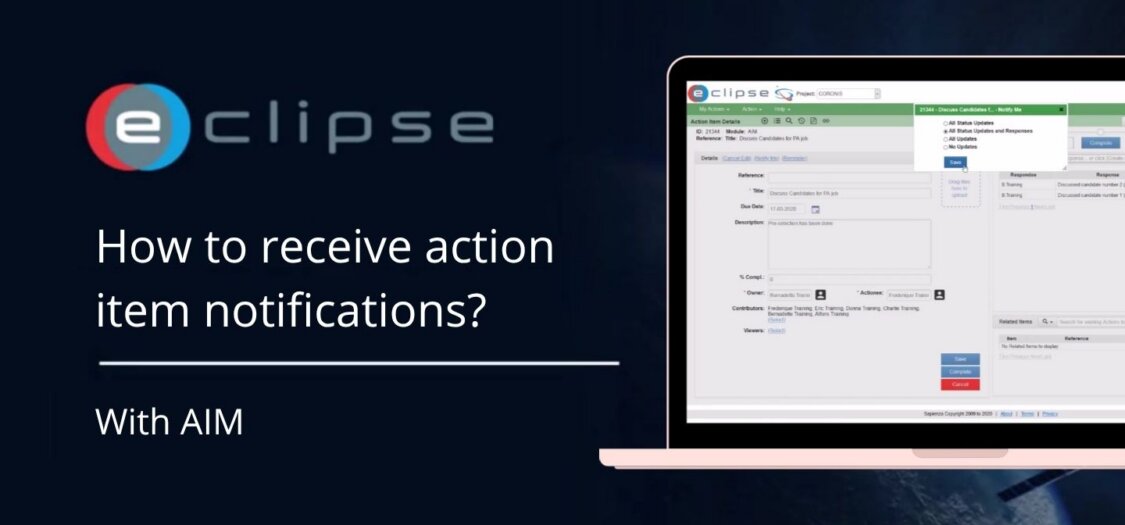
In this video, we will show you how to enable notifications for action items.
Steps to set up your Action Item notification
- Open the action item.
- On the left side, click Notify Me.
- In the pop-up screen, select your preferred notification level.
- Choose from the following notification types
- When a Reminder is Sent
- By: Creator or Owner
- To: selected roles
- Notification upon crat
- By: ECLIPSE
- To: all roles except
- When Status Changes
- By: ECLIPSE
- To: all roles that set the level to any except
- When a Response is Added
- By: ECLIPSE
- To: all roles who setthe level to
- All Other Changes
- By: ECLIPSE
- To: all roles who set the level to
- When Due Date Passes
- By: ECLIPSE
- To: all roles except
- When a Reminder is Sent
- Save your selection.