Creating an action item from your risk
08 Jul, 2026
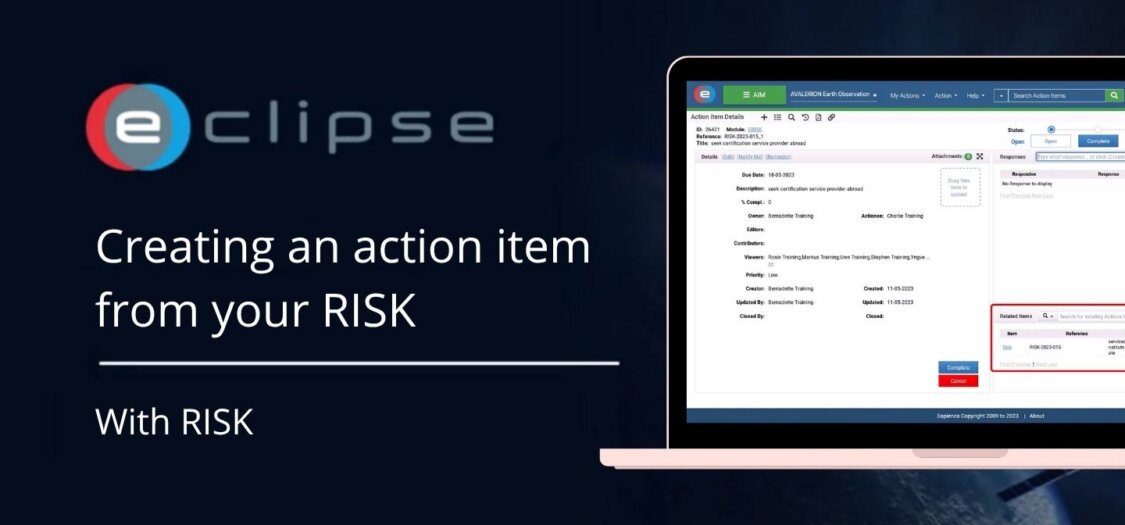
When a risk requires follow-up, you can create an action item directly from the Risk Management (RISK) module. Linking an action item to a risk helps ensure that mitigation tasks are assigned, tracked, and completed while maintaining traceability between the risk and its associated actions.
In this video, we demonstrate how to create an action item from a risk.
Before you begin
Before creating an action item, make sure you have:
- Access to the Risk Management (RISK) module.
- The appropriate permissions to create action items.
- An existing risk that requires follow-up.
How to create an action item from a risk
- Open the Risk Management (RISK) module.
- Locate and open the risk for which you want to create an action item.
- Click Create Action.
- Complete the required information, including:
- Actionee
- Due date
- Description
- Priority
- Any additional required fields
- Review the entered information.
- Click Save to create the action item.
The action item is now linked to the selected risk and can be managed through the Action Item Management (AIM) module.
What can you do next?
After creating the action item, you can:
- Assign or reassign the action to another user.
- Update the action details.
- Track the progress of the action.
- Receive notifications and reminders.
- Return to the related risk from the linked items section.
- Monitor both the risk and its associated mitigation actions.
Result
The action item has been successfully created and linked to the selected risk. This ensures that mitigation activities are tracked separately while maintaining full traceability between the risk and the actions taken to address it.